To turn PrestaShop into a mobile app without rebuilding your store or writing code, Prestafy turns your existing website into a native iOS and Android app, synchronised with your catalogue, prices, stock, carts and orders. The six steps below take you from your store's address to publishing on the App Store and Google Play.
| At a glance | With Prestafy |
|---|---|
| What you get | A native iOS and Android app in your brand, published on the App Store and Google Play |
| What stays in sync | Catalogue, prices, stock, carts and orders, from your store |
| PrestaShop versions | 1.7.8 to 9.x |
| Skills needed | None: compilation, signing and store submission are handled for you |
| Price | Free to build and preview your app (Découverte plan); publishing from €99 excl. VAT per month (Basic plan), with 30 days free |
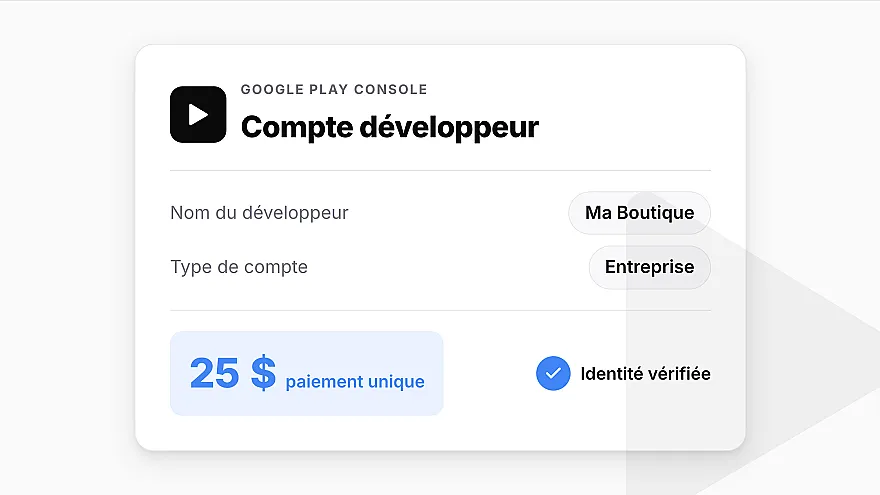
| Also budget for | Your developer accounts: Apple, USD 99 per year; Google, USD 25 one-off |
| Steps | 6, from your store's address to publication |
Can you turn a PrestaShop store into a mobile app?
Yes. Prestafy creates a native app connected to your catalogue, prices, stock, carts and orders. It does not replace your PrestaShop website: your store remains the foundation of your e-commerce business, and your data stays in sync.
If you are still deciding which format fits your needs, see our guide comparing mobile apps, responsive websites and PWAs. Already convinced? Let’s get started.
What you need before getting started
A live PrestaShop 1.7.8 to 9.x store.
A Prestafy account. The Découverte plan is free and requires no credit card, so you can customise and preview your app before paying anything. Every paid plan then starts with 30 days free.
No technical skills are required: compilation, signing and app-store submission are handled for you.
Create and preview your PrestaShop app for free
Create your app free from your store URL. No code or credit card is required to get started. Create my PrestaShop app
Step 1: Enter your store's address
On prestafy.fr, enter your PrestaShop store's address. Prestafy reads your website (logo, name, colours) and shows you a card of your future app. Then create your account, with a password or your Google account: it is free on the Découverte plan, with no credit card. Your app is created in your colours as soon as you sign up.
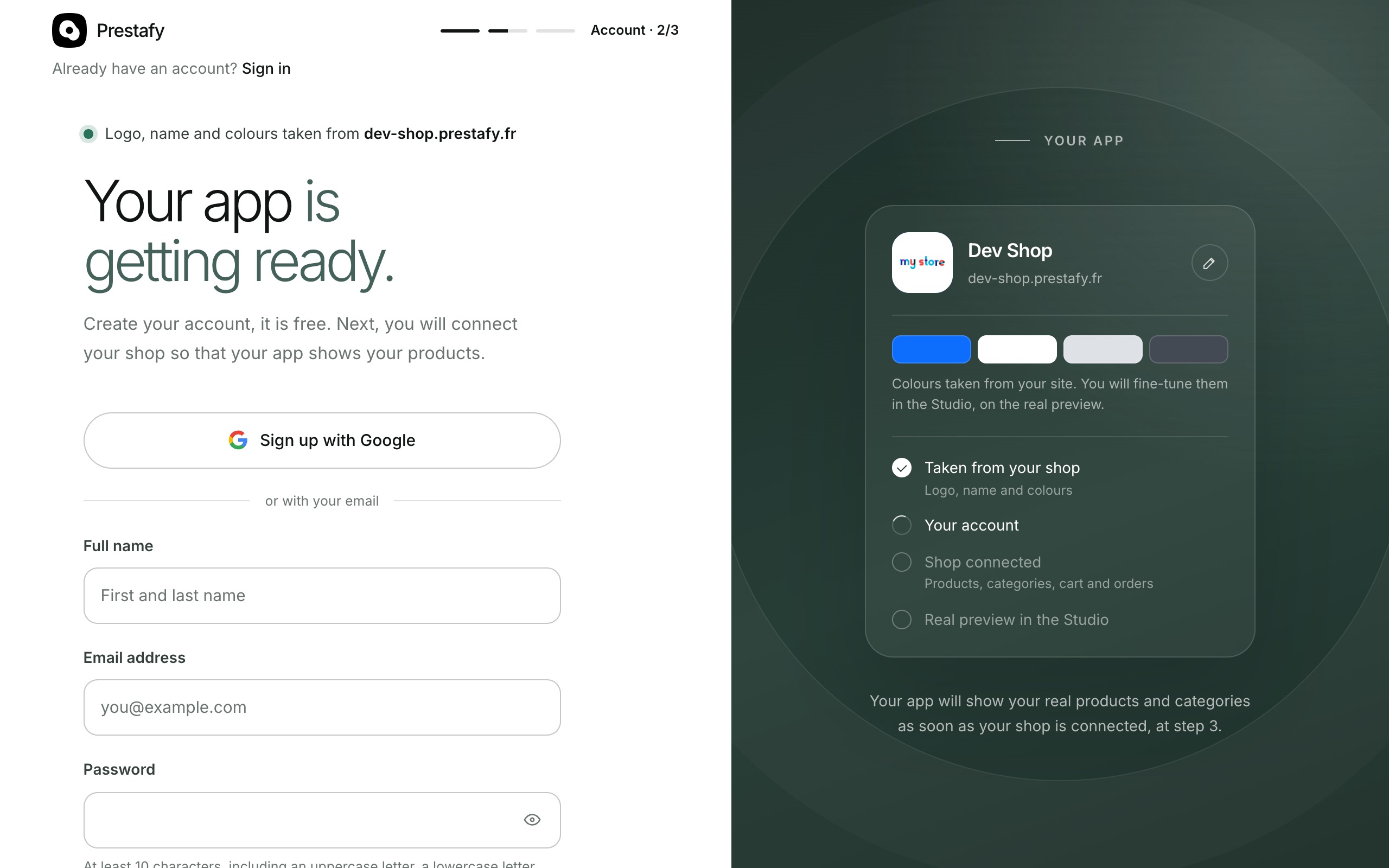
Your store's address is all it takes: Prestafy picks up your logo and colours.
Step 2: Install the Prestafy module on your store
The Prestafy module is the bridge between your PrestaShop store and your app: it securely passes your catalogue, prices, stock, carts and orders to the app.
Download the module from the page that follows sign-up, or later from the Connection page of your Prestafy account. In your PrestaShop back office, go to Modules > Module Manager > Install a module and upload the archive you downloaded. Installation takes only a few seconds.
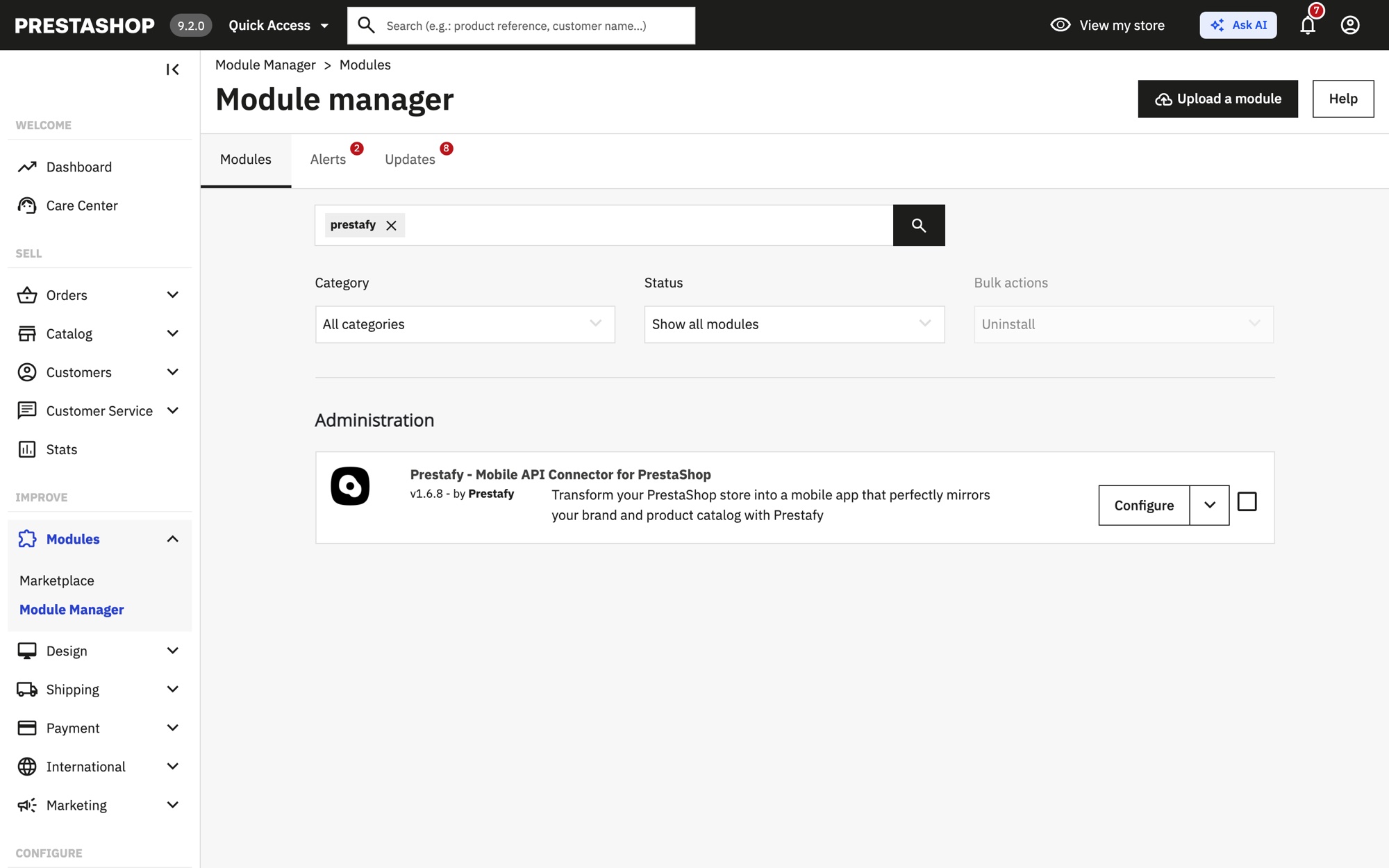
The Prestafy module installed in the PrestaShop back office.
Step 3: Connect your store in one click
In the module configuration, click Connect my shop. Prestafy opens: sign in if needed, then click Authorize. Your store is linked to your app with no key to copy or paste, and the Prestafy Connection page turns green on its own.
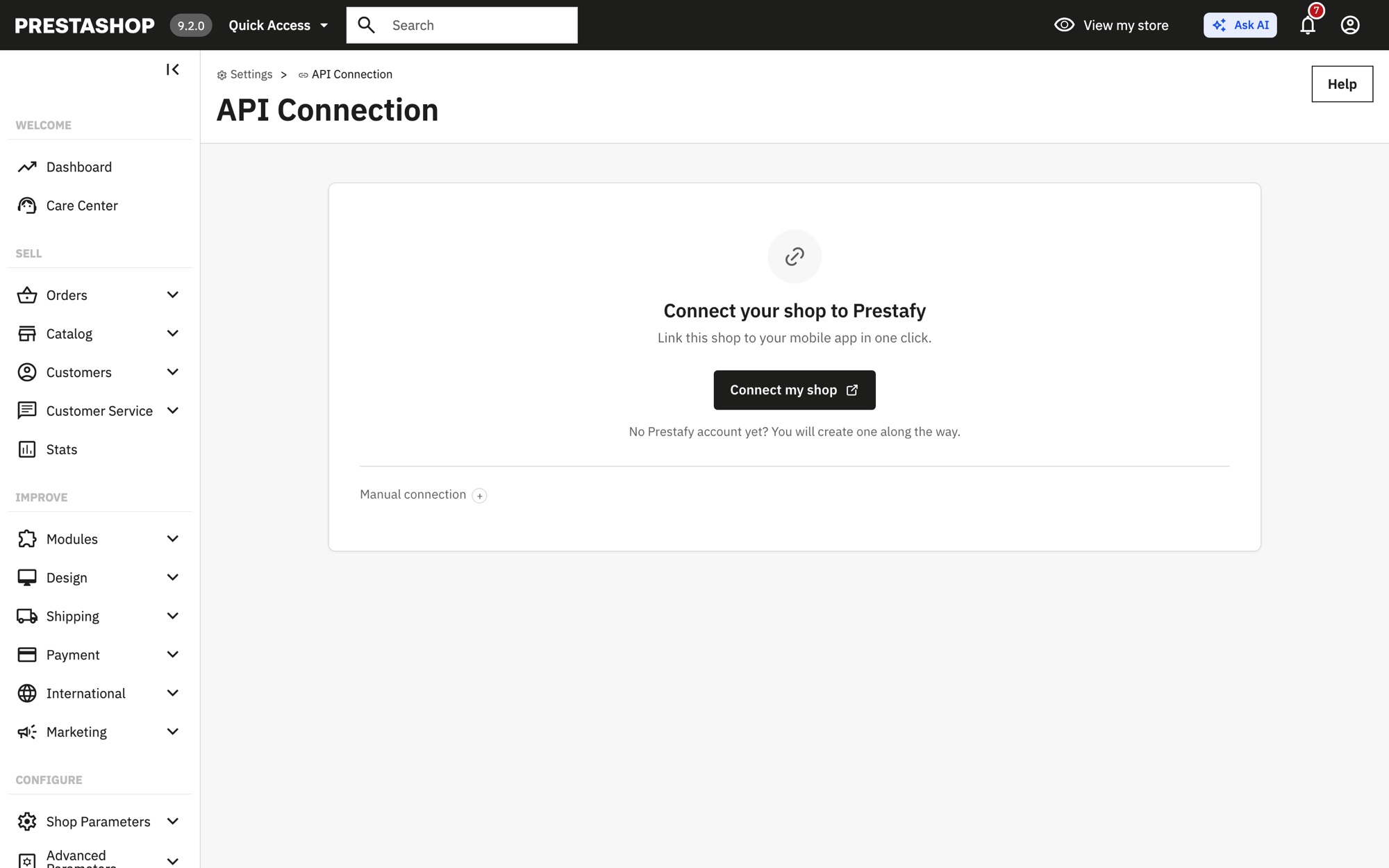
One click in the module, then "Authorize" on Prestafy: your store is connected.
As soon as the store is connected, Studio shows your real app, with your products. If your store does not appear, the Connection page also offers a key to paste into the module as a fallback.
Step 4: Customise your app in Studio
Prestafy Studio puts the app in your brand. It is a no-code editor: every change appears immediately in the preview, with no recompilation required.
Choose your colours and theme
Set the primary colour, secondary colours and overall style to match your visual identity, or start from a ready-made palette.
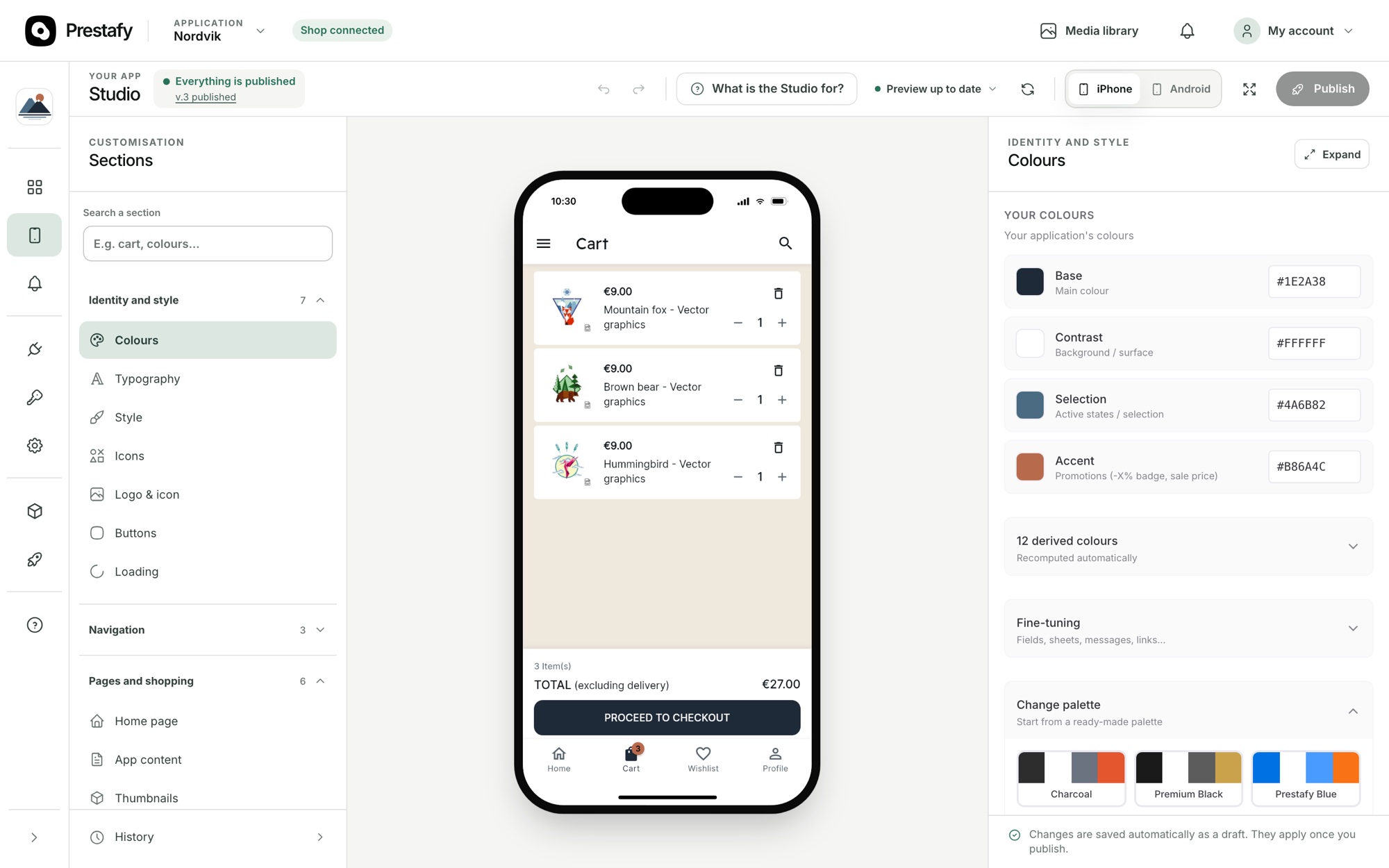
Adjust your colours: the preview updates live.
Build your home screen
Build your home screen by stacking blocks: sliders, banners, product carousels, new arrivals, best sellers, brands and trust elements. You decide what customers see first and in which order.
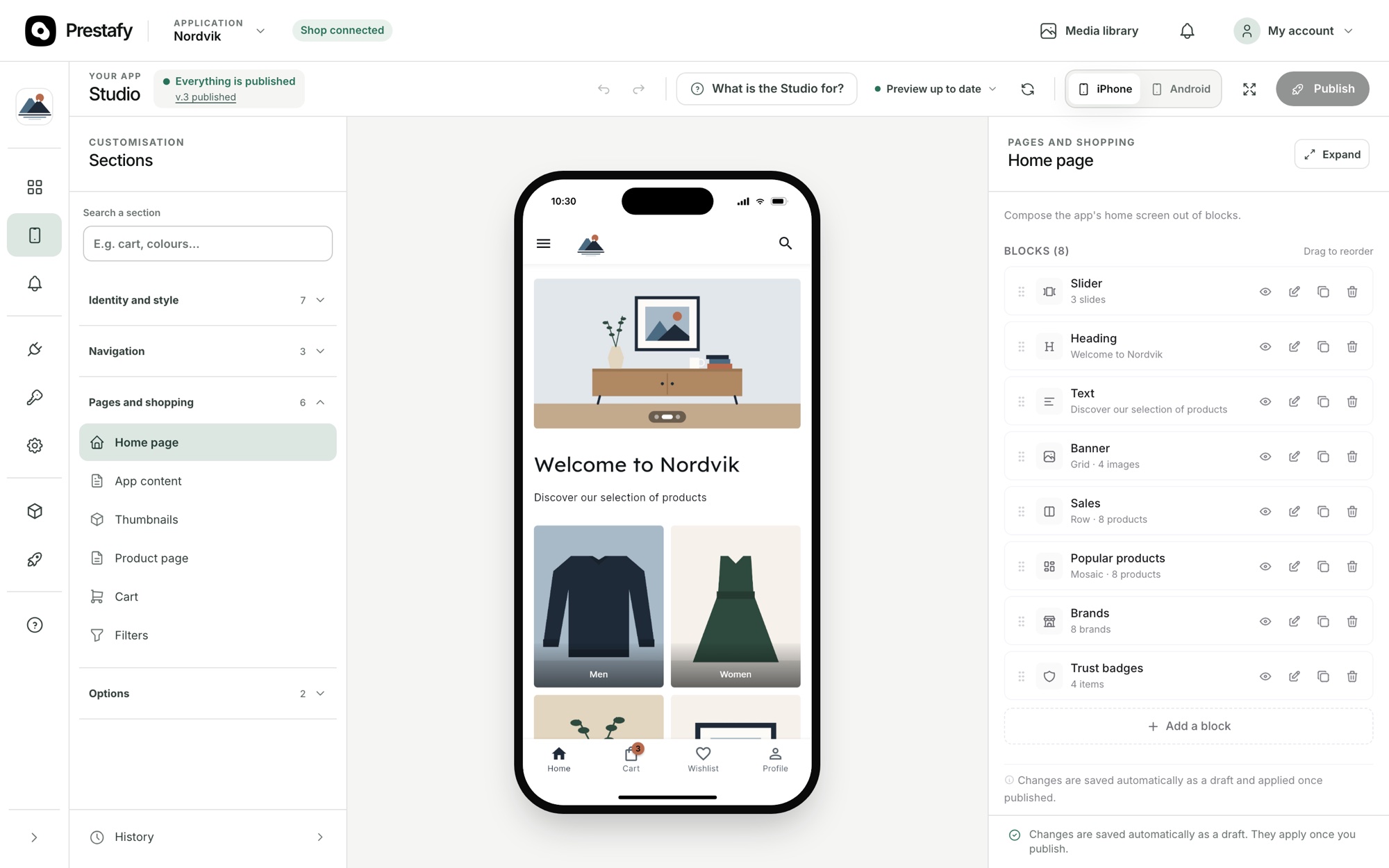
Build your home screen block by block.
Set up navigation and your logo
Customise the bottom navigation bar, menu, logo and tab order. You can also offer your app in multiple languages to reach an international audience.
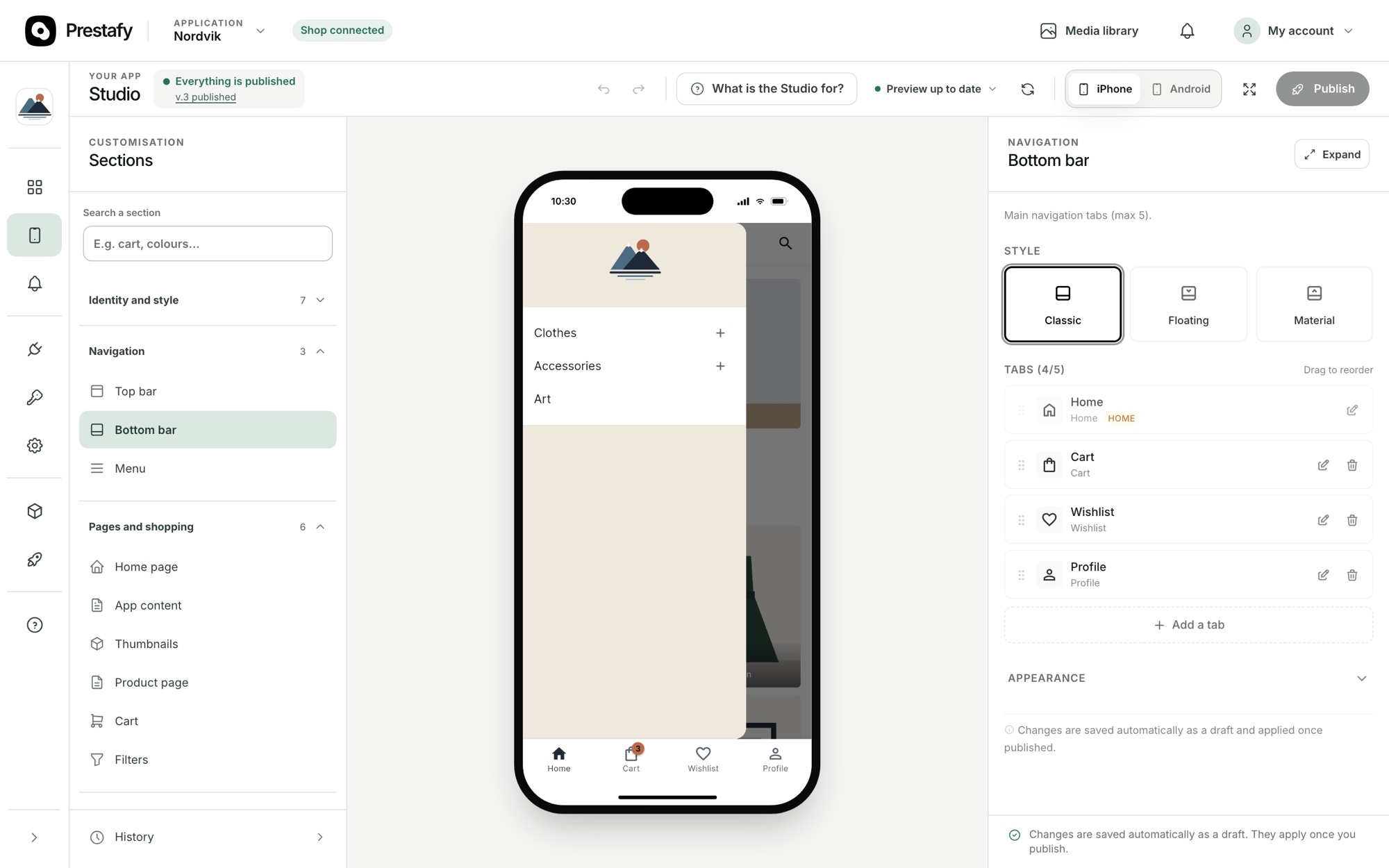
The navigation bar, logo and tabs are fully customisable.
Fine-tune product lists and product pages
First, configure your product list display: card format, customer reviews, promotion badge, add-to-cart button, stock label and information order. This is what customers see while browsing a category.
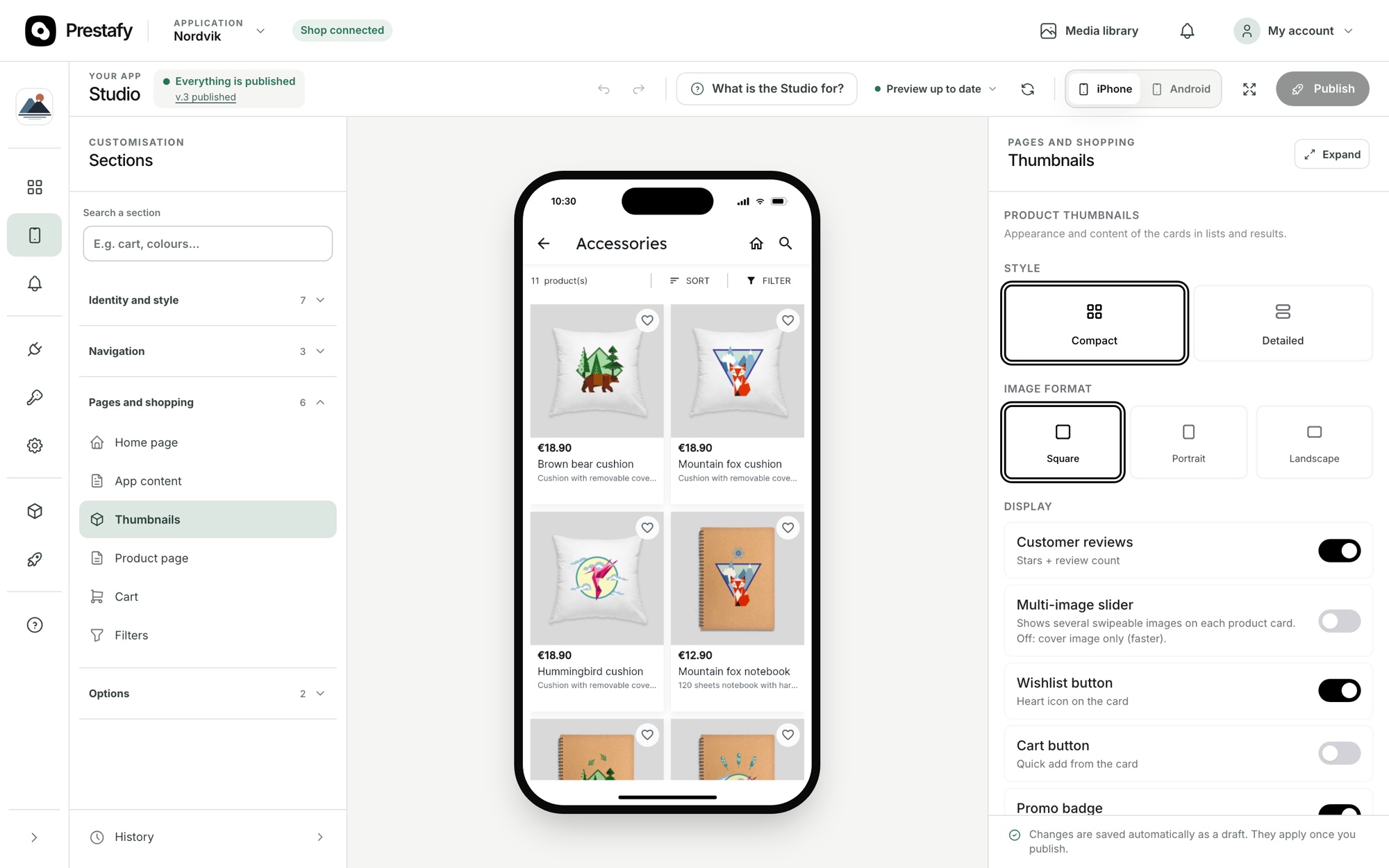
Configure how your product lists are displayed.
Then configure the product page in detail: image gallery, customer reviews, related products, variant selector and add-to-cart button. Everything is previewed in real time on a smartphone.
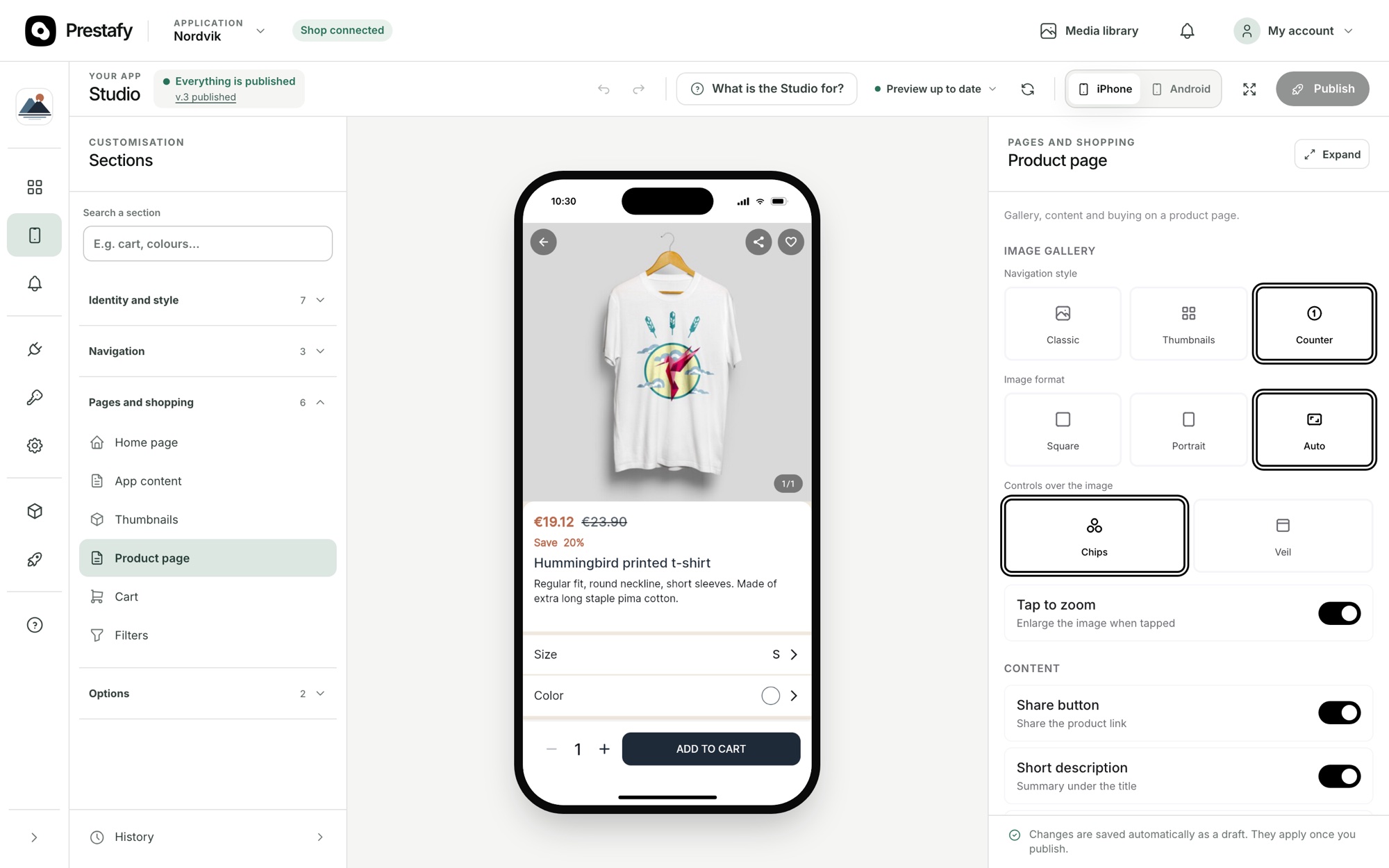
Fine-tune your product page, with an instant preview.
Step 5: Enable push notifications
Push notifications are among the biggest advantages of an app over a website: the message appears on the customer's screen, with your store's name and icon. From Prestafy, you write and send them without touching any server code. Order tracking is included from the Basic plan; segmented and scheduled campaigns (new collection, promotion) and advanced automations such as abandoned cart reminders come with the Advanced plan, along with their results.
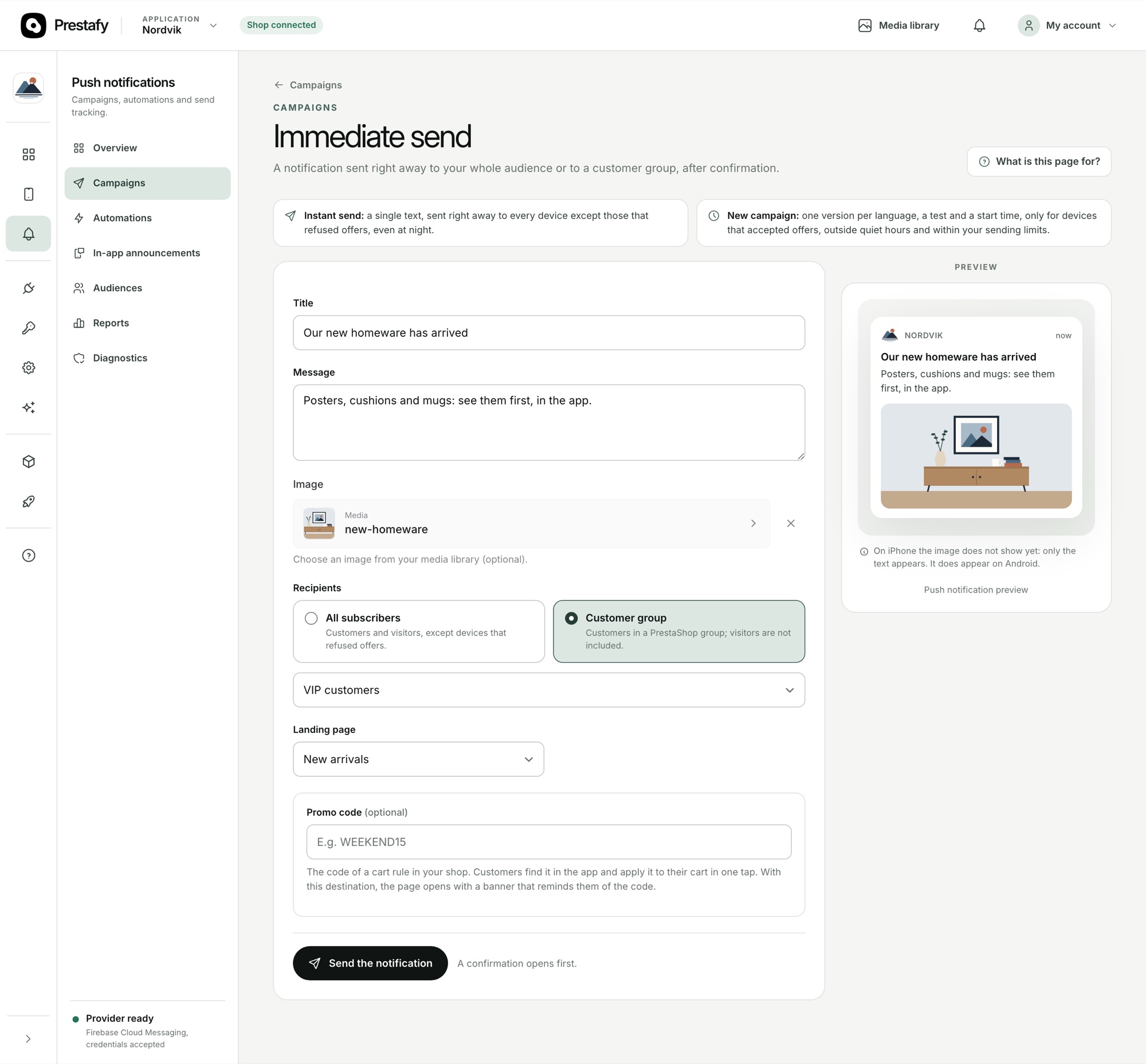
Write and send push notifications, with an instant preview.
For a complete walkthrough, read our guide to PrestaShop push notifications, covering audiences, segmentation, scheduled campaigns, automations and performance tracking. They can also help reduce mobile cart abandonment.
Go further: optional integrations
From the Integrations tab in your dashboard, you can enable additional services and features in one click, depending on your needs. None of them are required to publish your app.
Customer reviews: display reviews already collected with Avis Vérifiés, Trustpilot or Google in your app (from the Advanced plan).
SendCloud: offer pick-up-point delivery directly in checkout.
Google Tag Manager and Google Analytics: send conversions and app statistics to your own tools (Business plan).
OneSignal, if you prefer it to Firebase for your notifications (from the Advanced plan), plus other settings such as the install banner on your website or age verification.
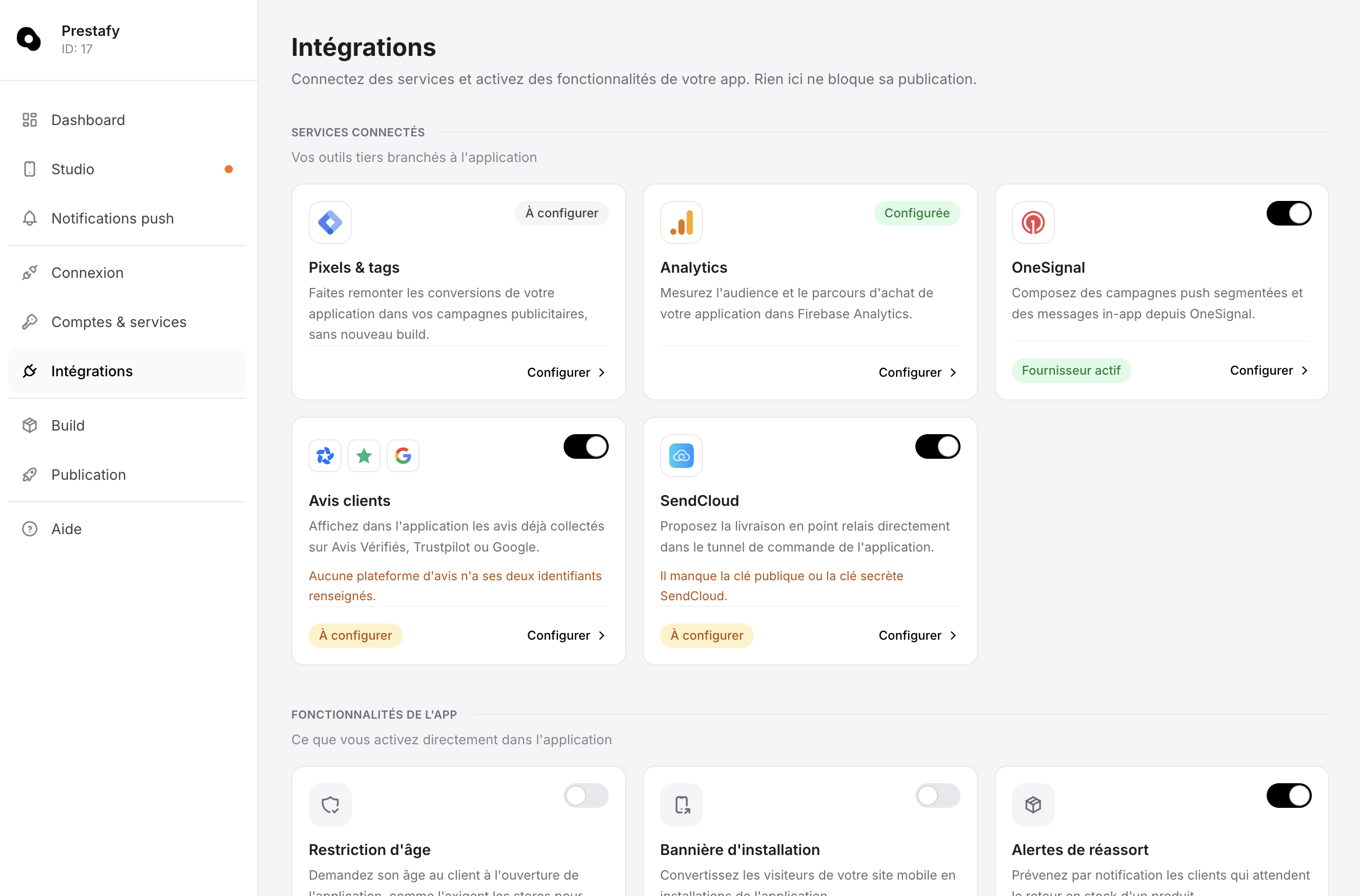
The Integrations hub: enable services and features for your plan, without a new build.
Some integrations depend on your subscription plan.
Step 6: Publish your app on the App Store and Google Play
Once your app is customised, Prestafy compiles and signs the iOS and Android versions for you, without requiring you to install a development environment.
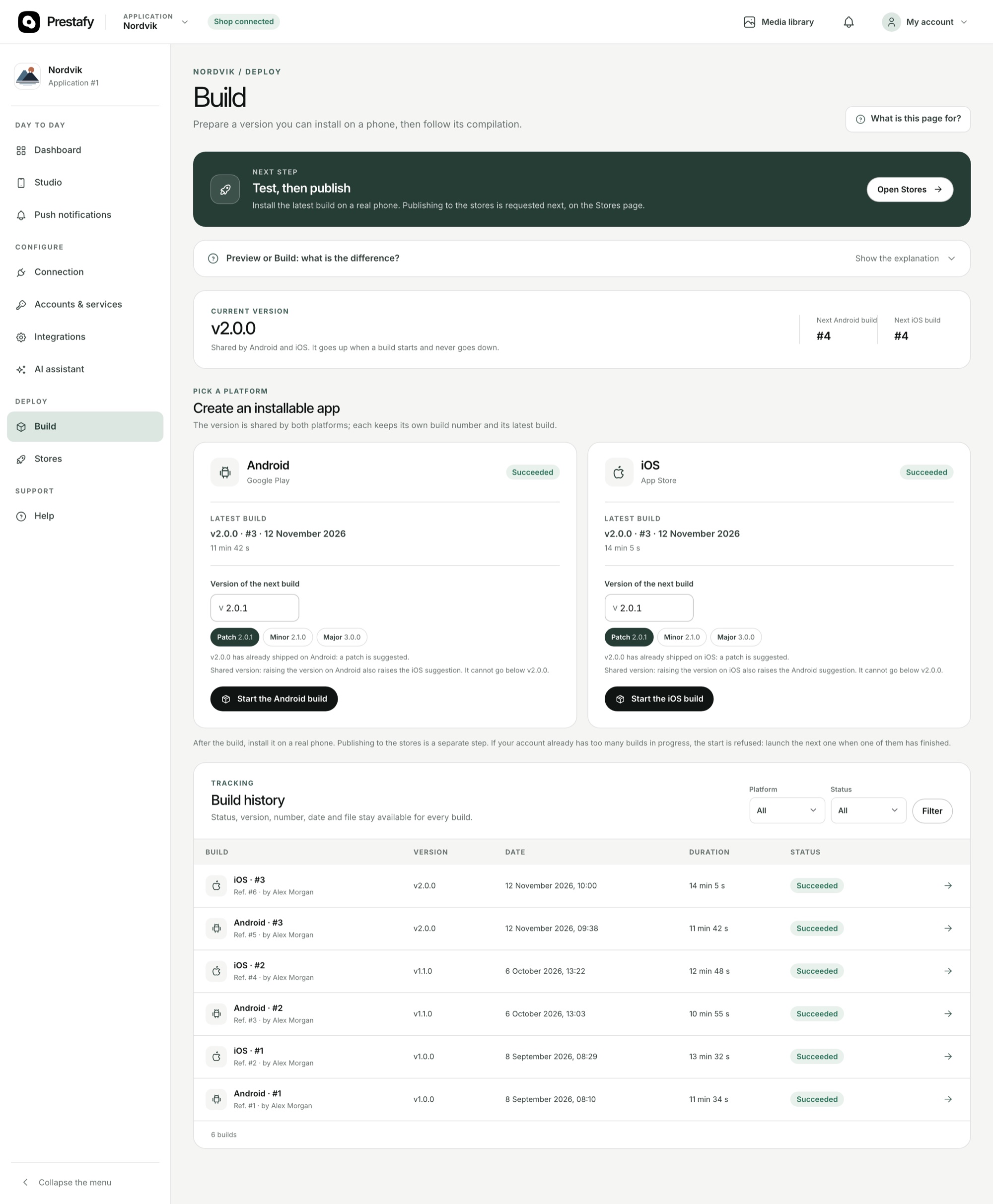
Prestafy compiles your native app. The Android APK is used for testing; publication on Google Play uses an AAB file. The iOS version is provided as an IPA.
Then comes store submission, which Prestafy prepares and sends for you. It requires developer accounts with Apple and Google, which you open yourself because the stores require it. We explain the process in our guides to creating an Apple Developer account and creating a Google Play Developer account.
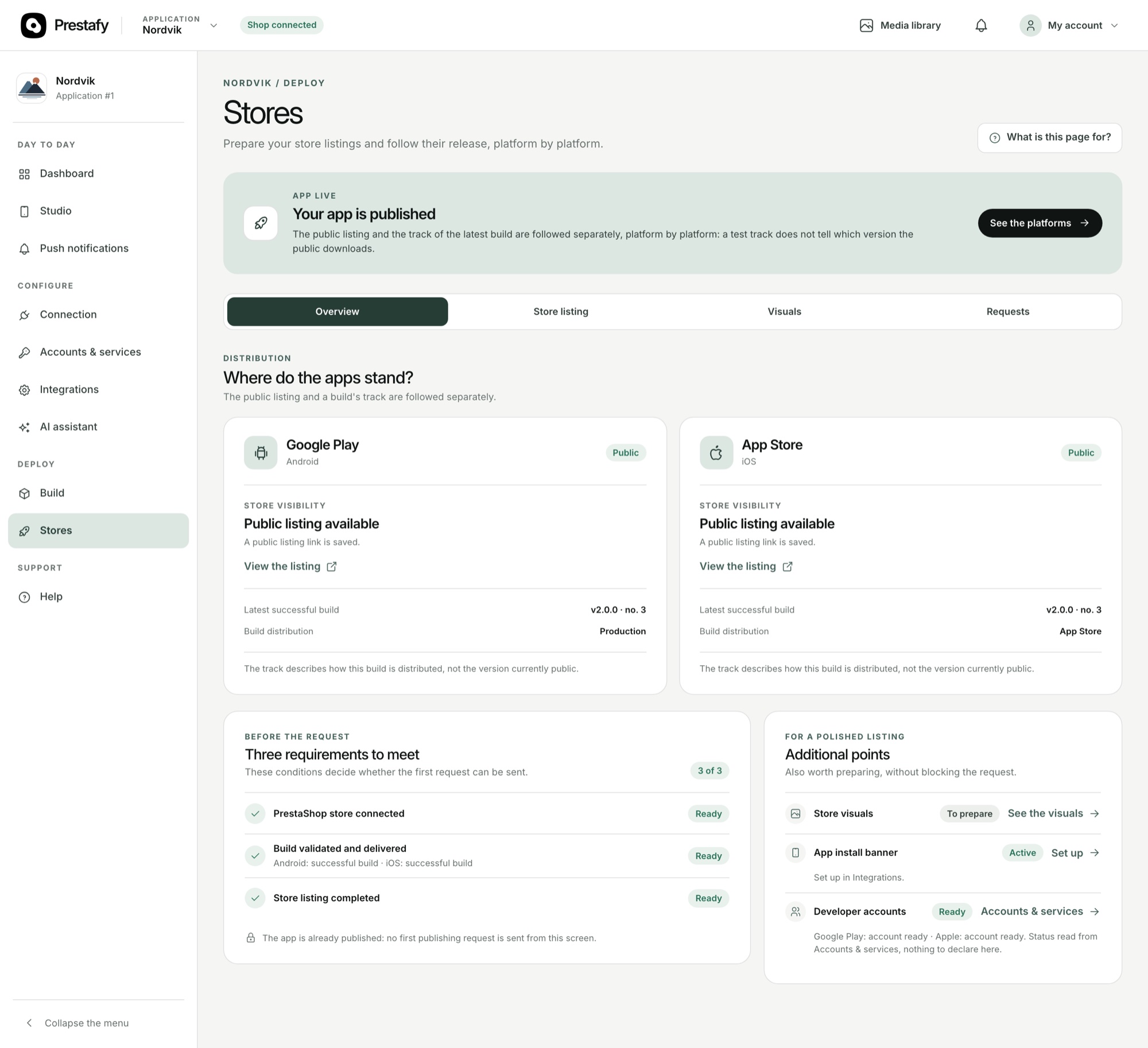
Publish your app on the App Store and Google Play.
For end-to-end publication, read our complete guide on publishing an app on the App Store and Google Play. Our article on e-commerce mobile app cost breaks the budget down item by item, including store accounts and yearly upkeep.
An app in sync with your PrestaShop store
You get a branded native mobile app that stays synchronised with your PrestaShop store in real time: catalogue, prices, stock, basket and orders are the same as on your website. Customers install it, receive your notifications and check out on a single page.
Frequently asked questions about creating a PrestaShop app
How much does a PrestaShop app cost with Prestafy?
Building and previewing your app is free on the Découverte plan. Publishing to the stores starts at €99 excl. VAT per month on the Basic plan. The Advanced plan, at €199 excl. VAT per month, adds push campaigns and abandoned cart reminders; the Business plan, at €399 excl. VAT per month, adds the full dashboard and up to three apps. Every paid plan starts with 30 days free. To see how these prices compare with modules and other services, read our comparison of PrestaShop mobile app solutions.
Can I see my app before paying?
Yes. The Découverte plan gives you Studio and a preview of your app with your products, with no card and no time limit. You choose a paid plan when you are ready to publish.
How long does it take to publish the app?
You can build and preview your app straight away. Publishing on the App Store and Google Play then takes roughly 2 to 3 weeks, the time Apple and Google need to review it. Prestafy submits the app and follows the review until it goes live.
Which PrestaShop versions are supported?
The Prestafy module works with PrestaShop 1.7.8 to 9.x. You install it from the module manager in your back office, like any other module.
Do I need to open the Apple and Google accounts myself?
Yes, the stores require it. An Apple Developer account costs USD 99 per year and a Google Play Developer account USD 25 as a one-off fee. Once your accounts are open, Prestafy prepares and sends the submission for you. Our guides explain how to open an Apple Developer account and a Google Play Developer account.
Who handles updates after publication?
Prestafy does. Every paid plan includes updates for new versions of iOS, Android and PrestaShop, new features added to your plan at no extra cost, and support. Changes you make in Studio reach the app without going back through store review.
Create your PrestaShop app without coding
To create a PrestaShop mobile app without coding, you enter your store's address, install the module, connect the store in one click, customise the app in Studio, then publish it to the stores. You keep control of the design and content; compilation, signing and store submission are handled for you. If you are still weighing up your options, our comparison of PrestaShop mobile app solutions sets them side by side, including prices and maintenance.